Procedural 3D Workbench
Soyuz Studio
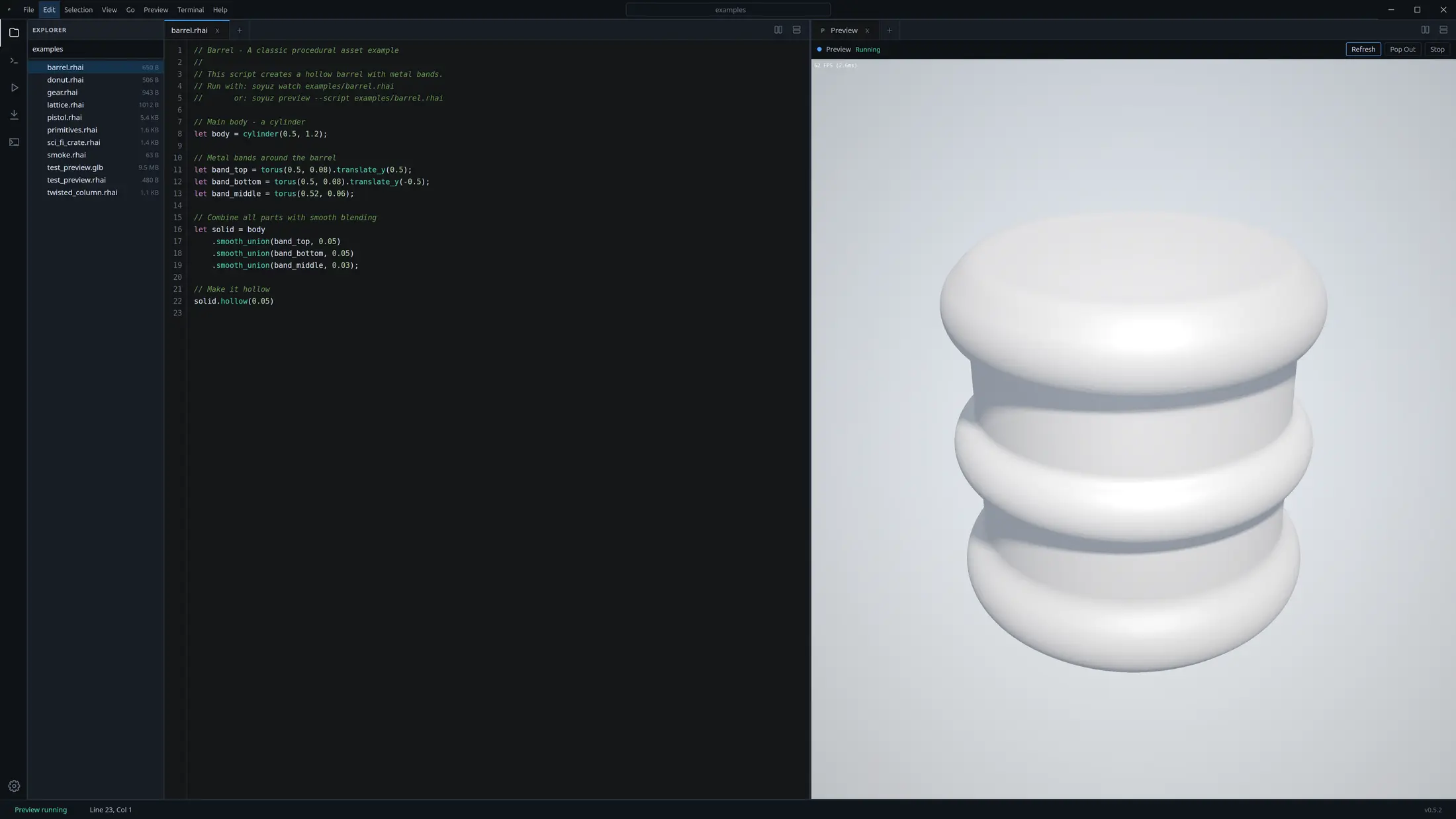
A desktop IDE for building 3D assets with code. Write Rhai SDF scripts, preview geometry in a docked workbench, and export clean meshes for your pipeline.
Modeling Loop
Code, preview, export
Soyuz keeps the procedural loop tight: the script is the source of truth, the preview is interactive, and export is built into the same workbench.
Describe geometry
Build shapes from primitives and compose them with SDF operations instead of pushing vertices by hand.
Inspect in the tab
Run the docked Preview tab for the current script, then pop it out only when you want a separate native window.
Ship a mesh
Choose mesh resolution, format, and optimization settings from the integrated Export tab.
Try It Online
A browser playground for the same modeling language
The web playground compiles Rhai through WebAssembly and renders SDFs with WebGPU. It is the fastest way to understand Soyuz before installing Studio.
Open Playground// Barrel - procedural asset in Rhai
let body = cylinder(0.5, 1.2);
let band_top = torus(0.5, 0.08).translate_y(0.5);
let band_bottom = torus(0.5, 0.08).translate_y(-0.5);
let band_middle = torus(0.52, 0.06);
body
.smooth_union(band_top, 0.05)
.smooth_union(band_bottom, 0.05)
.smooth_union(band_middle, 0.03)
.hollow(0.05)Capabilities
Built for procedural asset generation
Studio-first workflow
Write Rhai scripts in a focused workbench with files, tabs, command palette, output, and docked preview.
Signed Distance Fields
Compose primitives with boolean operations, smooth blends, transforms, repetition, and modifiers.
Browser playground
Try Soyuz in the web with WebAssembly compilation and WebGPU rendering before installing Studio.
Export-ready meshes
Generate marching-cubes meshes and export GLB, glTF, OBJ, or STL for downstream 3D tools.